Intro
If you or your child are into video games or want to make animations, Scratch is a great way to learn! Scratch can be a great stepping stool, it is great for any beginner. One should start this MIT (Massachusetts Institute of Technology) interactive creation in your programming journey. This free program has a lot in store for anyone. Scratch has code, character (sprite), and music creations . Also, Scratch can teach you or your beginner problem solving and mathematical skills.
What is Scratch
Scratch is a safe and playful, learning website. Scratch is designed for 8-16 year olds, but any age can use Scratch. There is another site called Scratch Jr for kids aged 5-7 years old. Scratch is free, and has more than 70 Languages for kids around the world to code and have fun. Scratch is made for you to learn how to make stories, games, and animations. The Scratch games can be just for you or for enjoyment. In 2020, Scratch got more than 20 million young kids creating fun animations,games,and music. Scratch was created by Mitchel Resnick and Natalie Rusk, who were in college at MIT Media Labs.
How Scratch can help you
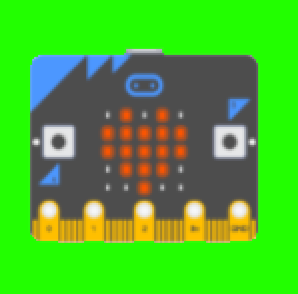
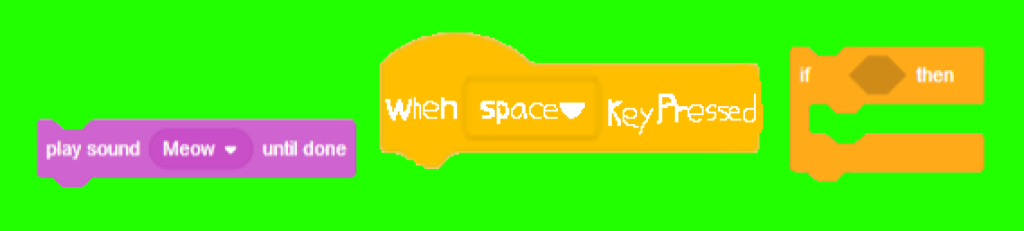
Scratch can help the beginner coder in many and exciting ways. Scratch has tutorials for you to learn off of. The tutorials they have are “Add a Sprite”, “Make Music”, “Make a Chase Game”. Those are some of the many tutorials that Scratch offers. There are many blocks for making your video game. Blocks are easy coding blocks that ease the beginner into their imagination. Some of these popular block games are “Play Sound Until Done”, “When Key Pressed”, and “If Than” there are so many more for you to explore. Scratch offers physical play ideas. There is a device called “Micro: bit.” Micro: bit can link up to your game and to make fun interactive things. Scratch also has a debug suggestion box for you if your code is not working.
What You Can Learn From Scratch
One of the creators of Scratch, Mitch Resnick says in a Ted Talk “When people learn to code in Scratch, they learn important strategies for solving problems, designing projects, and communicating ideas.” Also there are people who are learning in Elementary level up to College level types of coding. Also Scratch teaches kids Math, Computer science, language arts, and Social studies. That is what Scratch will teach.
The Coding of Scratch
The coding of Scratch has a simple type of coding, It is a drag and snap, and the code is linked together. The different types of the blocks Scratch has for you are Motion, Looks, Sound, Events, Controls, Sensing, Operators, Variables, and My Blocks. The Movement section is of course how things move, rotate, It the base for all scratch creations. The looks section is how characters look and how speech bubbles show up, and the background. The sound section of Scratch is how you make music and that makes your videos feel more alive. The event section is the very start of the code. There is a block that starts the entire Scratch or action that is being inputted. The control section is how you control your character or how a video plays out. The sensing section is when your mouse is clicking or at a certain position on the board. The variable section is if a certain block is not working or is in the wrong place the variable block can change it. Also the variable can save certain code to one area to organize your coding area. My block is when you can make a block that does not exist. This is the coding part of Scratch.

The Sprite Making of Scratch

Scratch has another tab called costumes. Costumes are the character and their different appearances to different scenarios. You can make your sprite anything you want. You can draw it or find a sprite off the internet or use some sprites from Scratch. The starting sprite is the mascot of Scratch and his name is the Scratch cat. This is the Character making of Scratch.
Sound Making in Scratch
You can make any sound in Scratch. There are pre-made sounds for nice beats or sound effects and also bring sounds from other sources to your video or game. You can make anything from songs, sounds that makes you creativity thrive with Scratch endless possibilities. This is what Scratch has for music making.
Challenge Try To Do
After you learn all that Scratch has for you I want to give you a challenge. I am challenging you to try to make an interactive card. You have to use sound, sprite, It can be anything for birthday, fathers day or any celebration. After you are done coding you can post it to the comments and I might look at them.
Conclusion
This is what Scratch has in store for you or your child to start their or your programming journey. I hope you enjoyed reading and learning “Why you should start your programming journey in Scratch.” If you are wondering where I got all my facts from there will be a source tap under this conclusion. I hope you learned what Scratch has in store for you.
Sources
https://cacm.acm.org/research/coding-at-a-crossroads
https://scratch.mit.edu/projects/editor/?tutorial=getStarted